
Browse the documentation
How to set up a video preroll zone and get its VAST URL
Applies to: Publishers
A preroll plays a video ad before your own video starts. Most video players (JW Player, Flowplayer, Video.js and others) can request ads from a VAST URL, so you create a video ad zone, copy its VAST URL and paste it into your player's ad settings.
Before you start#
- Add the website that hosts the player: How to add a website.
- Your player must support VAST ad tags. Check its documentation for "VAST", "ad tag" or "advertising" settings.
- Know which player you use. If it is a plain HTML5
<video>element, JW Player, Kernel Video Sharing or Flowplayer, the zone can also give you a ready-made player code.
Steps#
- Open Adzones and click New Ad Zone.
- Fill in Name your ad zone (for example "Player preroll"), choose Video Ads under Adzone Type, and pick the site under Select your website.
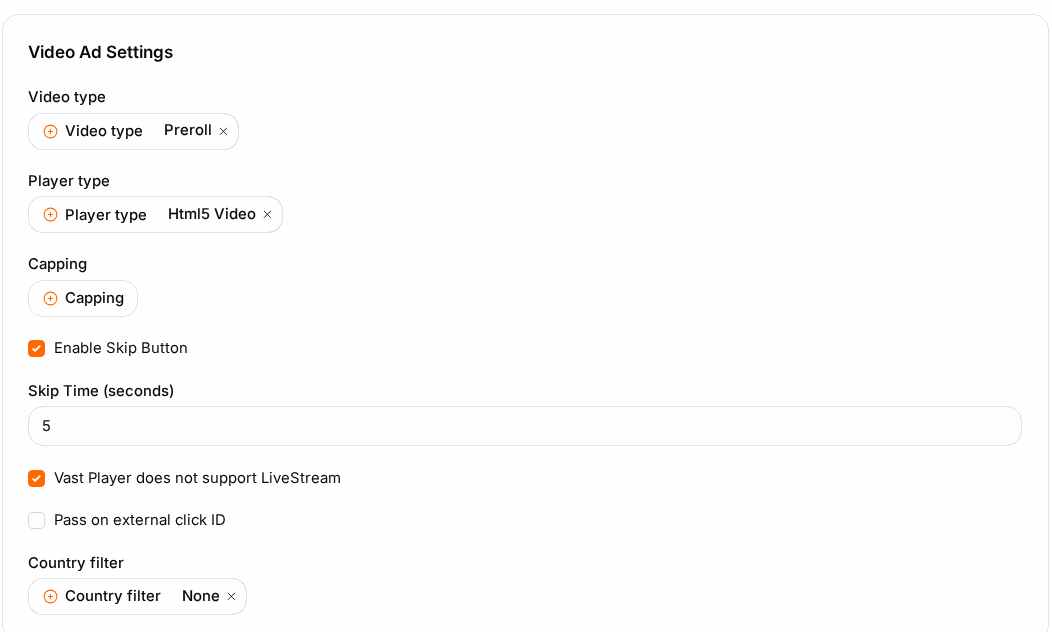
- In Video Ad Settings:
- Video type: Preroll. Midroll and Postroll are listed when your network offers them.
- Player type: the player you use (Html5 Video, JW Player, Kernel Video Sharing or Flow Player). This only changes the player code, not the VAST URL.
- Enable Skip Button and Skip Time: let viewers skip after the number of seconds you set.
- Capping: how often one viewer may see an ad from this zone.
- Country Filter: optional, to run the zone only in (or not in) certain countries.
- Click Save. The zone reopens with its tabs.
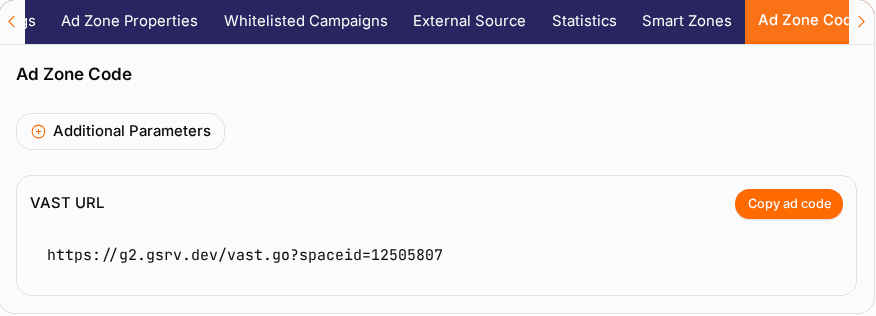
- Open the Ad Zone Code tab. Under VAST URL, click Copy ad code.
- Paste that URL into your player's ad tag / VAST setting and save the player configuration.
Which URL to use#
| Block on the code tab | Use it when |
|---|---|
| VAST URL | Your player requests ads by itself. This is the normal case. |
| XML VAST URL (linear) | Your player asks specifically for a linear (in-stream) VAST tag. |
| Ad Code / iframe Code | You play the video with the zone's own player code or your own controller instead of handing a VAST URL to a player. |
The width and height in the player code are a maximum; the video scales with your own CSS.
Check it worked#
- Open a page with the player, with ad blockers off, and press play. An ad plays before your video when a campaign is available for that visitor.
- Paste the VAST URL into your browser: it returns XML. An empty
<VAST>answer means no campaign matched this request, not that the setup is wrong. - The next day, the zone's Statistics tab shows views.
Troubleshooting#
| Symptom | Likely cause | Fix |
|---|---|---|
| The player shows no ad | The VAST URL was pasted into the page instead of the player settings. | Put the URL in the player's ad tag field. |
| Ads never play, the XML is always empty | No video campaign targets this zone, country or device. | Ask your account manager, or (on your own platform) assign a video campaign on the Whitelisted Campaigns tab. |
| The ad plays only on some pages | A different player configuration on those pages. | Use the same ad tag setting in every player configuration. |
| The player shows a VPAID error | The campaign serves a VPAID creative your player cannot run. | Use a player with VPAID support or ask for MP4 creatives. |
| Viewers cannot skip | Enable Skip Button is off. | Switch it on and set Skip Time, then save. |