
Browse the documentation
How to add funds to your advertising balance
Applies to: Advertisers · Ad networks where advertisers pre-pay a balance — ad manager setups have no advertiser balance
Your campaigns spend from your advertising balance and stop when it reaches zero. This guide tops it up, explains what to watch in the payment summary, and sets an alert so you're warned before it runs out.
Before you start#
- Which payment methods you see — card, PayPal, bank transfer, crypto and others — is decided by your network. Each method has its own minimum deposit.
- Know roughly what your campaigns spend per day; it decides both the amount and the alert threshold.
- Bank transfers take 1–3 business days. If a campaign must start today, use an instant method.
Steps#
Make a deposit#
- In the advertiser menu, open Funds.
- Under Payment Method, click the method you want. Each tile shows its speed, fees and Min. deposit.
- Under Choose deposit amount, click a preset or Custom and type the amount (at least the minimum).
- Check the Payment summary: Deposit amount, any fee, any Bonus, and Estimated balance after.
- Click Proceed to payment and complete the payment in the window that opens — a card form, a PayPal button, a crypto address with QR code, or bank details.
Instant methods credit your balance within moments.
Paying by bank transfer? Put the reference number shown in the payment window in your transfer description. It's the only thing that matches the money to your account.
Redeem a coupon (if you have one)#
In Redeem Code, enter the code and click Redeem. Coupon redeemed! {amount} added. confirms it. The box is only shown when your network issues codes.
Set a low-balance alert#
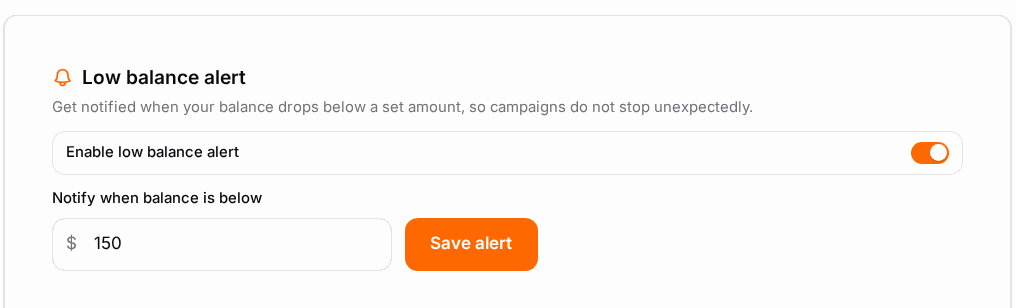
- Find Low balance alert and switch on Enable low balance alert.
- In Notify when balance is below, enter a few days of normal spend — for example 3 × your daily spend. A tiny threshold warns you too late, especially if you top up by bank transfer.
- Click Save alert.
Finish or cancel an unfinished payment#
A payment you started but didn't complete shows as Pending in the deposit list. Reopen it to finish, or use Cancel payment — nothing was charged.
Download an invoice#
In the Invoices list, find the deposit and click Download PDF.
Check it worked#
- Advertising Balance at the top of the page shows the new amount, and Last Deposit shows today's date.
- The deposit appears in the list as completed.
- If campaigns were waiting for money, the notice {count} campaigns cannot serve because your balance is … disappears and they start serving.
Troubleshooting#
| Symptom | Likely cause | Fix |
|---|---|---|
| Minimum amount is … | The amount is below the method's minimum | Raise it to at least Min. deposit |
| No payment methods available. or Payments are currently disabled for your account. | Payments are off for your account | Contact support |
| Paid by card, balance unchanged | The provider is still confirming | Give it a few minutes; if it still hasn't arrived, contact support with the transaction details |
| Bank transfer hasn't arrived | Still within 1–3 business days, or no reference in the transfer | Wait the full period, then send support your transfer receipt |
| Invalid coupon code. | Expired, used, or meant for another account | Ask for a new code |
| No Funds in the menu | Your network invoices you instead of using a prepaid balance | Nothing to top up — see your invoices or ask your account manager |
Related#
- Adding Funds — balance figures, credit lines, saved cards and statuses explained
- Campaigns Overview — what the balance is spent on
- How to choose which alerts you get — where the low-balance email arrives