
Browse the documentation
How to get paid for your traffic
Applies to: Publishers · Ad network setups only — not available on ad manager setups
Your earnings collect in your balance. To get them paid out, you set your payment details once and choose how often you want to be paid. This guide covers that, and how to follow a payment until it arrives.
Before you start#
- Have your payment details ready for the method you want: bank details (IBAN and BIC, or account and routing number), or a PayPal, Paxum or Payoneer email, or a USDT wallet address. Which methods you can choose depends on your network.
- Payouts are made from your balance once it reaches the minimum for your method. The minimum shows next to each method.
Steps#
1. Check your balance#
- Open Billing in the left menu.
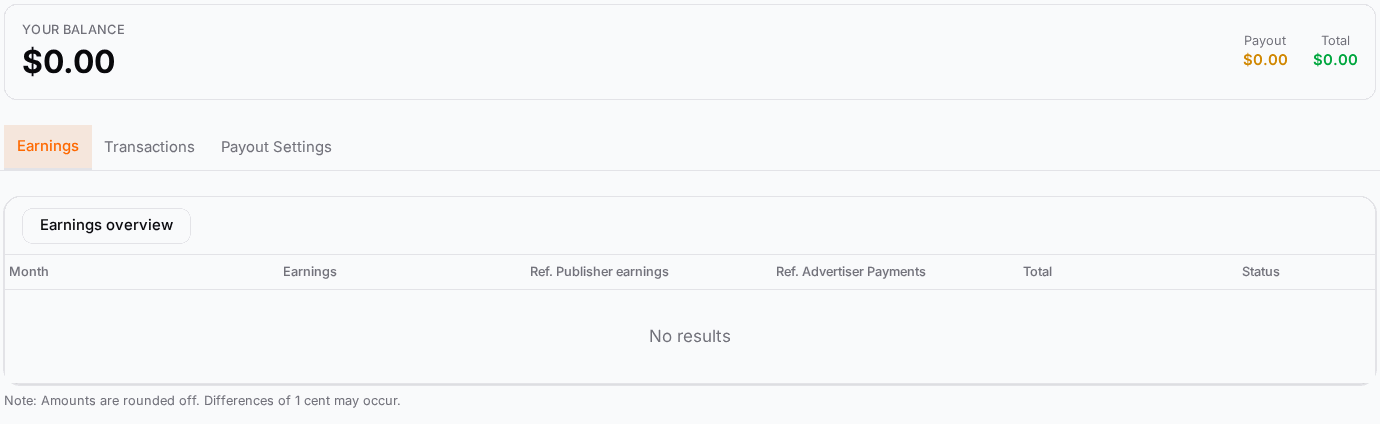
- Your balance shows what you have earned and not yet been paid.
- The Earnings tab lists your earnings per month with their Status: Pending until paid, then Paid. Referral earnings, if you have any, show in their own columns.
2. Enter your payment details#
- Open the Payout Settings tab.
- Under Choose payout method, click the method you want. Its minimum payout is shown on it.
- Fill in the details the method asks for:
- Bank transfer: Enter account name, Enter IBAN and Enter BIC, or the account and routing number where IBAN does not apply.
- PayPal, Paxum or Payoneer: the email address of that account.
- USDT: your wallet address.
- Pick the currency under Choose Currency if offered.
- Click Save Settings.
Double-check the details: payments go exactly where these settings say.
3. Choose how often you are paid#
On the same Payout Settings tab:
- Under Direct Payout, choose Monthly payout, Weekly payout (where your network offers it), or No automatic payout.
- Optional: under Set Minimum Payout, choose a higher amount if you prefer fewer, larger payments.
- Click Save Settings.
With Monthly payout, a payout of your balance is created on the 1st of each month; with Weekly payout, every Monday. That happens when your balance is at or above the minimum and your network has verified your payment details. New or changed details are checked by your network first, so allow time for that before your first payout.
If your network handles payouts by hand, the Transfer Funds tab says "Payouts are processed manually. Please contact your account manager." In that case, ask your account manager for a payout. Some networks also let you move earnings to your advertiser balance there, with Transfer money to advertiser funds, to spend them on your own campaigns.
4. Follow a payment#
- Open the Transactions tab. Every earning, payout and transfer is listed with its Type, amount and Status.
- When a payout has been processed, its status changes and the processed date fills in.
- Where your network issues invoices, use Download Invoice on the transaction.
Check it worked#
- Payout Settings shows your method and details after a page reload.
- After the next payout day (the 1st for monthly, Monday for weekly), the Transactions tab shows the payout and Your balance has gone down by that amount.
- The month in the Earnings tab moves from Pending to Paid once it has been paid.
Troubleshooting#
| Symptom | Likely cause | Fix |
|---|---|---|
| No payout was made | The balance is below the minimum, No automatic payout is selected, or your payment details are not verified yet. | Check Set Minimum Payout and Direct Payout; ask your account manager whether your details are verified. |
| Direct Payout is not shown | No payout method is saved yet, or your network pays manually. | Save a payout method first; otherwise contact your account manager. |
| "Failed to save settings." | A required field for the method is empty or invalid. | Fill in every field of the method, for example both IBAN and BIC. |
| The payment did not arrive | The bank or payment provider is still processing, or the details are wrong. | Check the transaction status and your details; contact your account manager with the transaction date. |
| Amounts differ by a cent | Amounts are rounded. | Normal; differences of 1 cent can occur. |