
Browse the documentation
How to create your first campaign
Applies to: Advertisers
At the end of this guide you'll have a live run-of-network (RON) campaign with one ad, paid per thousand impressions (CPM) or per click (CPC), and you'll know how to check that it's actually serving. It takes about ten minutes. For every option the wizard offers, see Creating a Campaign; this guide only takes the shortest sensible path.
Before you start#
- An advertiser account. If your network uses prepaid funds, add some first (Adding Funds) — a campaign with no balance is saved but doesn't serve.
- Your creative (an image, for a banner) and the landing page URL a click should open.
- A rough daily budget and bid. Your account manager can tell you what a competitive bid is for your countries.
Steps#
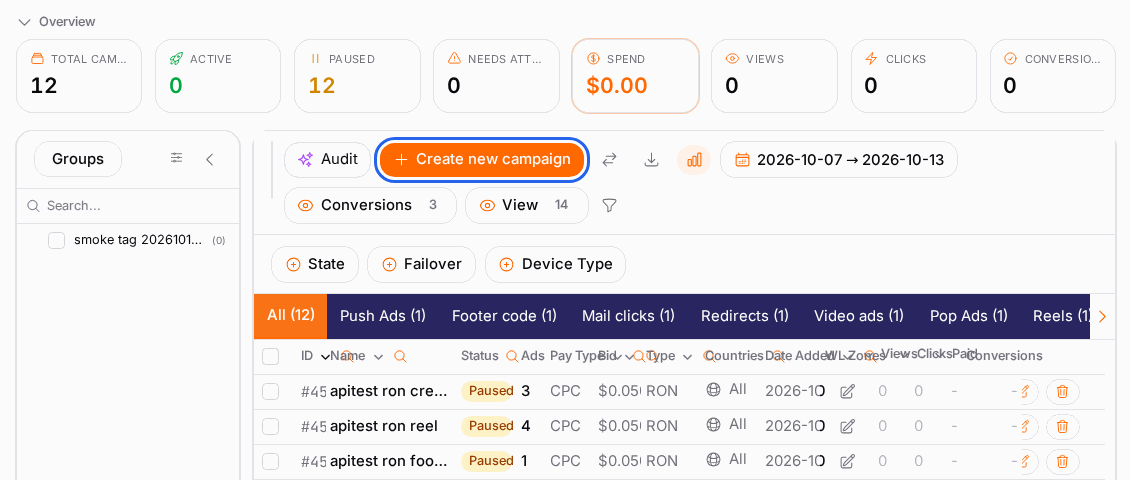
- Open Campaigns → RON (on some accounts the menu item is just Campaigns).
- Click Create new campaign.
- On Basic, enter a Campaign Name you'll recognise later, e.g. "Banner — DE — spring sale".
- Pick the Ad Type card, e.g. Banner.
- Choose the Payment Type: CPM to pay for views, CPC to pay for clicks. See Campaign Types & Pricing if you're unsure.
- Click Next. On Budget, turn on Daily Budget, enter a small test amount and set your bid. Click Next.
- On Geo, tick the countries you want. Leave it empty for worldwide. Click Next.
- On Traffic, leave everything empty for now — empty means "any device, OS and browser". Narrow it later once you have data. Click Next.
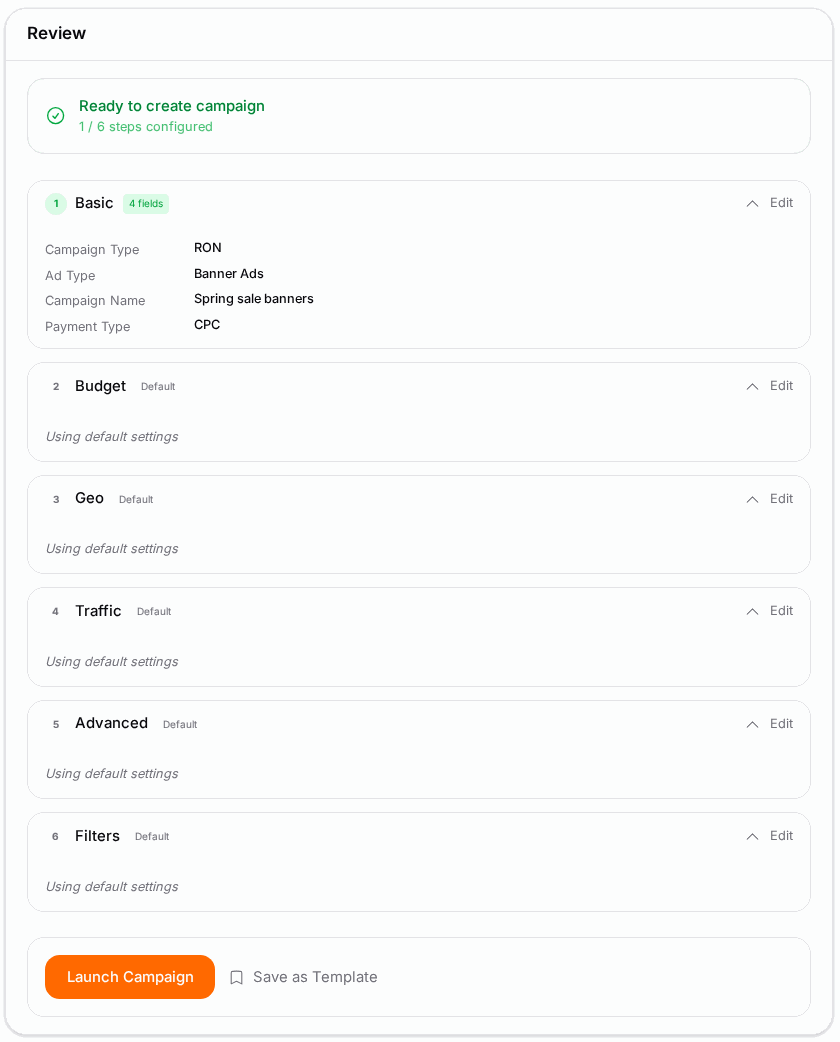
- Skip Advanced and Filters for a first campaign: click Next until you reach Review.
- Read the warnings on Review, then click Launch Campaign.
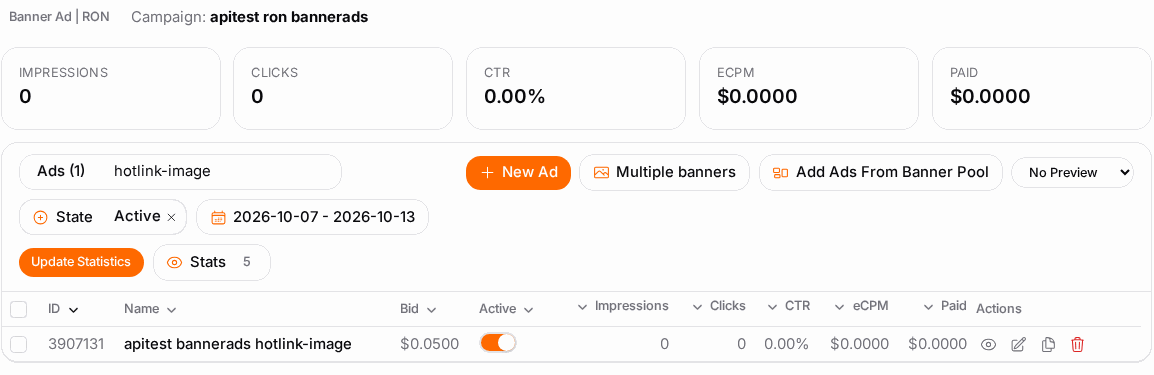
- You land on the campaign's Ads step. Click New Ad.
- Enter the Destination URL — the landing page.
- Choose the Ad Size and upload your creative (or pick one from your media bank).
- Click Save. The ad appears in the list.
Check it worked#
- In the campaign list, the campaign shows Active. Pending approval or an ad marked Pending means your network reviews new campaigns or ads first — it starts by itself once approved.
- After an hour or so, open Statistics, pick Today and click Search. Views (and clicks, on CPC) should be counting.
- No views after a few hours? Work through Troubleshooting below.
Troubleshooting#
| Symptom | Likely cause | Fix |
|---|---|---|
| The campaign list shows No creatives | The campaign has no ad yet | Open the campaign, go to Ads and add one |
| Saved, but no views at all | Bid below what the inventory sells for, or no funds | Raise the bid; check your balance on Funds |
| Very few views | Targeting too narrow (one small country, one OS) | Widen Geo or Traffic, then check again tomorrow |
| Ad stuck on Pending | Your network reviews ads before they run | Wait for review, or ask your account manager |
| Save is blocked | A required field is empty or the daily budget is below the minimum for this ad type | Follow the highlighted field |
Related#
- Creating a Campaign — every wizard step and option
- Ads & Creatives — ad fields, macros, bulk upload
- Targeting & Filters
- How to read your campaign statistics
- How to create a video campaign
- How ad selection works