
Shoppable Video Ads
A shoppable video ad lets viewers buy what the video shows. While your pre-roll or mid-roll plays in the publisher’s video player, clickable hotspots and product cards appear at the seconds you choose, each with its own link: the tent in second 3, the backpack in second 8. A click opens the shop on that product, counts as a click on the ad, and the video plays on when the viewer comes back. Try the live demo.
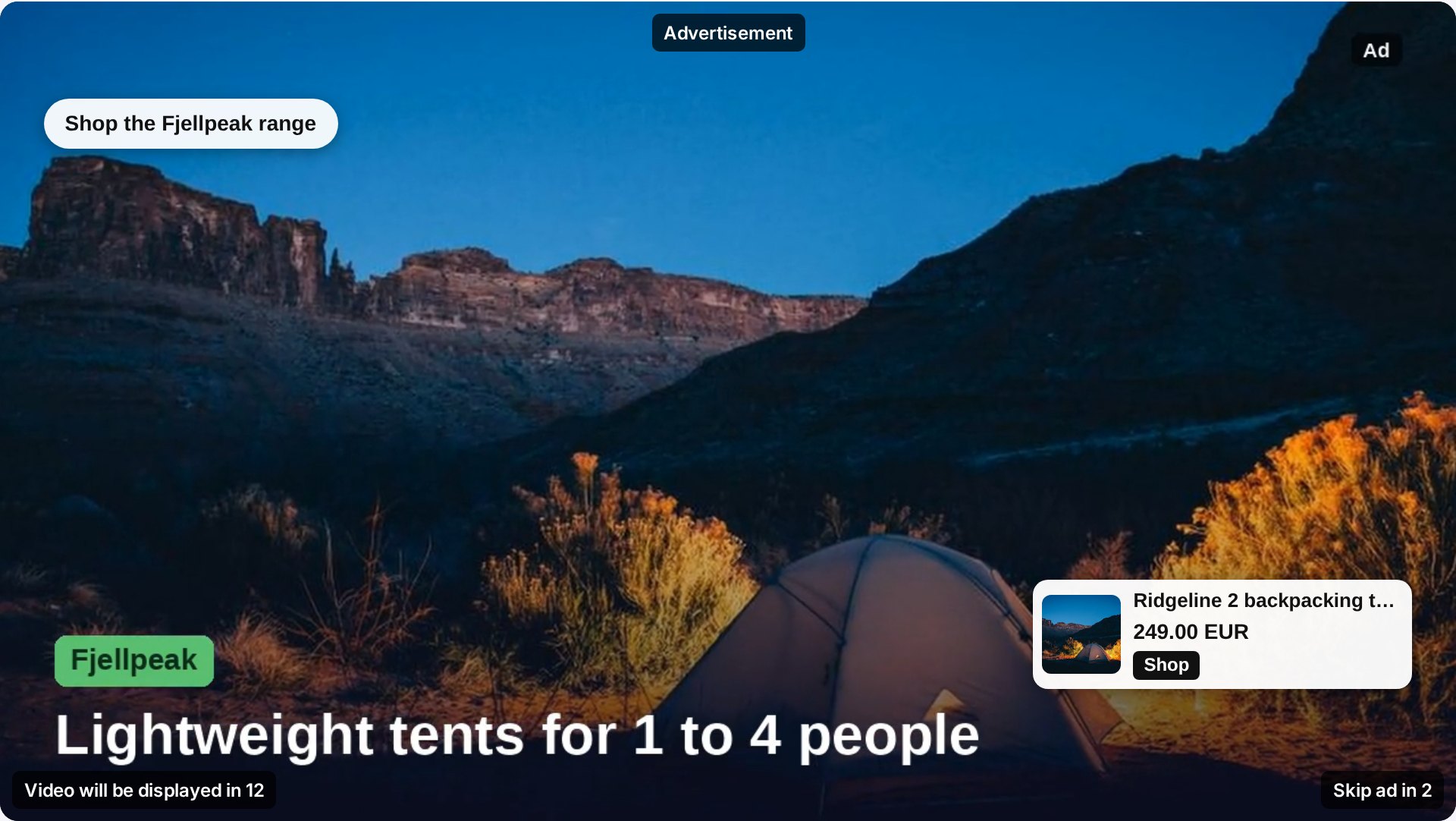
Hotspots and product cards
- Hotspots: a short text button such as Shop the range or Free returns, in a corner of the player.
- Product cards: the product image, its name, its price and a button. Fill them by hand or pick a product from one of your product feeds, so image, price and link come straight from the shop.
Up to eight overlays per ad, each shown between two seconds of the video. On small players the cards switch to a compact layout with image, price and button, so they never cover the whole video.
In the publisher’s own video player
The main place for shoppable video is in-stream: a pre-roll before the publisher’s video, or a mid-roll inside it. The publisher wraps their existing HTML5 player with one tag; GoAdserver plays the ad in that player, draws the hotspots and product cards over it on time, pauses on a click, and hands back to the content when the ad ends. Pre-roll, mid-roll and post-roll slots are set on the zone.
The same overlays run in the other GoAdserver video units too: in-page video in an article, the video slider, reels and the video carousel.
For other video players: SIMID
Publishers with another video player take the zone’s VAST tag. It carries the same overlays as a SIMID interactive layer, the IAB standard for interactive video ads, so any player that supports SIMID shows the hotspots and product cards over the ad, with no extra integration.
Counted per overlay
Every overlay click goes through the ad server: it counts as the ad’s click in your normal statistics, billing and postbacks, and on its own as well. The video ad form shows for each overlay how often it was shown and clicked, and its click-through rate, so you can see which product the viewers wanted.
Set it up in minutes
- Open a video campaign and add or edit a video ad.
- Under Shoppable video: overlays, add a hotspot or a product card.
- Set from which second until which second it shows, and where.
- Type the text, or fill the card from your product feed, and save.
Everything in the panel is also in the API: send the overlays as video_overlays on the ad, and read the numbers per overlay from the ad’s overlay statistics.
See it live
The live demo runs one video ad of a made-up outdoor brand with product cards from its product feed: as a pre-roll and a mid-roll in a publisher’s own video player, in a SIMID test player for other players, and outstream in an article. Related: product feed ads and all ad formats.
Frequently asked questions
What is a shoppable video ad?
A video ad with clickable hotspots and product cards on top of it, shown at the seconds you choose. Each overlay can link to its own product page, and a click pauses the video until the viewer comes back.
How many products can one video ad show?
Up to eight overlays per ad. Each one has its own time window, position and link; without a link it opens the ad’s destination URL.
Does it work in video players on other sites?
Yes, through the ad’s VAST tag in players that support SIMID, the IAB standard for interactive video ads. In GoAdserver’s own players the overlays show in-stream, in the slider, in-page video, reels and the video carousel.
Documentation
Set it up step by step in the GoAdserver documentation: Shoppable video and Product feeds.