
HTML5 Rich Media Ads
Animated and interactive banners built in HTML, CSS and JavaScript. The advertiser uploads the .zip their design tool exported; the ad server hosts it, serves it in any banner zone and counts every click through the standard clickTag. See five of them running on the live HTML5 banner demo.
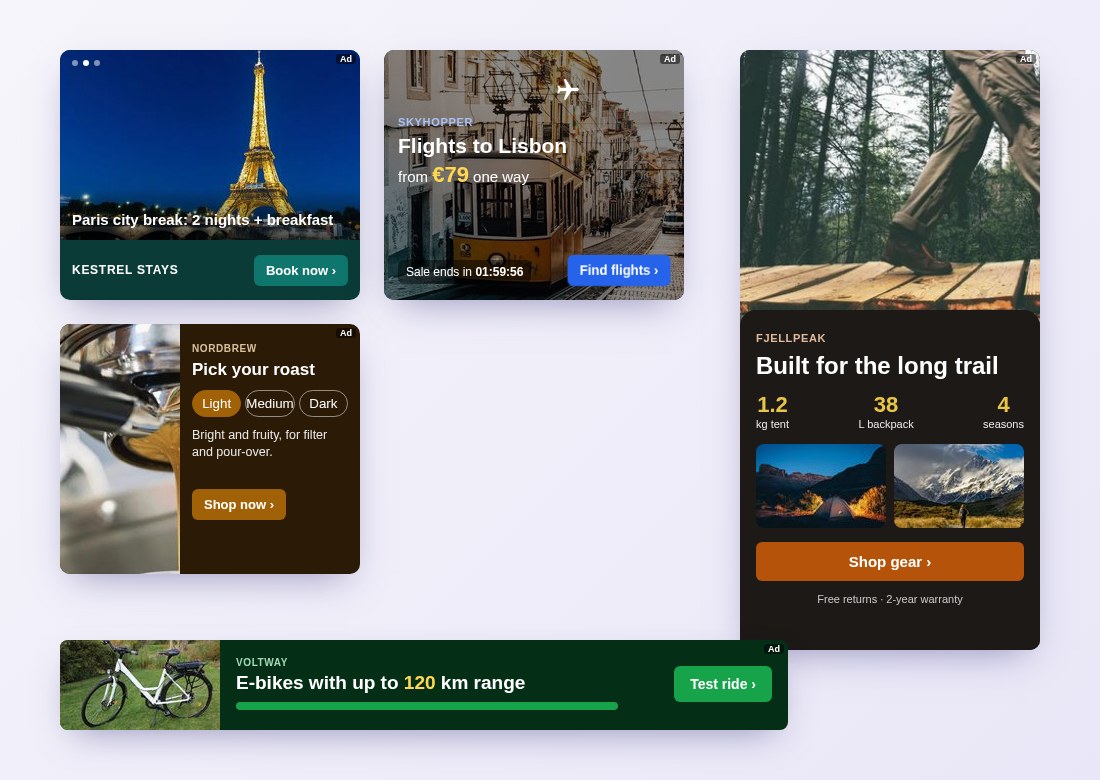
What HTML5 rich media ads are
A static image can show one picture and one message. An HTML5 banner is a small web page in a banner size: a photo carousel, a price ticker with a live countdown, a product picker the visitor can click through, figures that count up as it loads. It runs inside the publisher’s page like any banner, in a sandboxed frame, so it cannot touch the page around it.
Advertisers bring them from the tools they already use: anything that exports an IAB / clickTag HTML5 banner works, or the banner can be written by hand.
How it works
- Upload a .zip. In the media bank, pick Banner and tick HTML5 banners. Each .zip is one banner: an
index.htmlat the top, up to 5 MB, with only web files (HTML, CSS, JavaScript, images, fonts, short video or audio). - The size comes with it. Pick the banner size on upload, or put
<meta name="ad.size" content="width=300,height=250">in index.html and it is read from there. - Clicks are counted. The ad server opens the banner with
?clickTag=and its own click URL. The banner’s click handler opens it,window.open(clickTag), so every click is counted and sent on to the ad’s destination URL. - It serves like any banner. The same campaigns, targeting, bids and reports as image banners, in every banner zone of the right size. Publishers change nothing.
For advertisers and for networks
Advertisers get creatives that move and respond without a separate rich-media vendor. Networks and publishers get higher-engagement banners in the zones they already sell, served from the same publisher ad server and the same goCtrl ad tag. Everything is available in the panel and in the API: upload with POST /api/v1/creatives/upload and type=html5.
Documentation and demos
Step by step for advertisers, including the click setup: Ads and creatives. Try the banners, see the real zone code and download an example .zip on the HTML5 banner demo, or browse all live demos and every format we serve on Ad formats.