
CTV & OTT Ads
Smart TVs, streaming boxes and video apps show ads in breaks: several spots in a row, at fixed points in a long stream, and sometimes an image while the viewer pauses. GoAdserver serves all of that from an ordinary video ad zone, with the player URLs ready to paste.
Ad pods: a whole break in one answer
A TV player asks once and gets the full break back: up to six ads in a row, each with its own place in the sequence. You set how many ads a break holds and how long it may last. Within one break the same campaign or brand never shows twice, so viewers don’t sit through the same spot again and advertisers don’t compete with themselves.
- One request per break instead of one per ad
- A cap on the total ad time per break
- Ads from different advertisers in every break
A break schedule for long streams
Episodes, films and live streams need more than one break. The zone describes them all in one VMAP document: a pre-roll, mid-rolls at the minutes you choose and a post-roll. The player reads the schedule once and asks for each break when it gets there, so the ad timing lives in the zone, not in your app’s code.
Pause ads
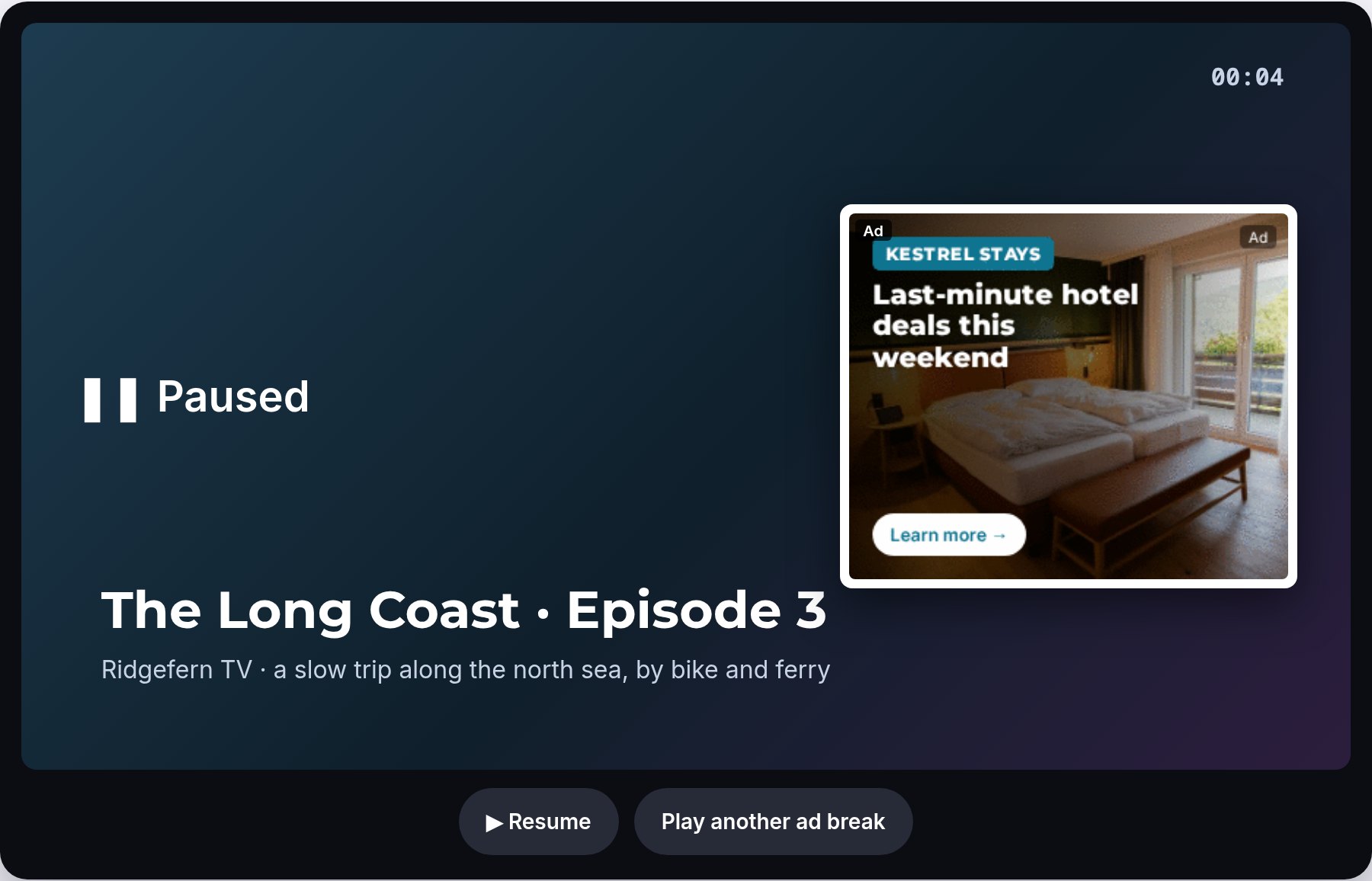
When the viewer pauses, the player can show an image ad beside the frozen picture and hide it again on play. It comes from one of your own banner zones, as JSON or as a VAST non-linear ad, and counts an impression only when it is on screen. Pause ads add revenue without adding a second of ad time.
Built for apps and server-side insertion
TV and app players pass their app’s bundle id, store link, advertising id and privacy settings with standard VAST macros. The app counts as the domain of the request, so advertisers can include or block your app like any website, and your statistics show it the same way. Viewers on TVs are recognised from the device, and advertisers can target TV screens in a campaign’s device settings.
With server-side ad insertion a server stitches the ads into the stream. It sends the viewer’s IP address and user agent, so the ads still match the viewer’s country and device. Each zone accepts this only when you switch it on.
See it live
The CTV demo plays an ad pod in a TV-style player, shows the zone’s break schedule and puts a pause ad on screen when you pause. The same zone settings work for audio ads in podcast and radio apps. More about video zones on the video ad server page, and every format on ad formats.
How to set it up
- Create a video zone for the app or player, as for a web pre-roll.
- In Video Ad Settings, open Connected TV and streaming apps: set the ads per break (1 to 6), the most ad seconds per break and the mid-roll points in seconds, and pick a banner zone for pause ads if you want them.
- Switch on server-side ad insertion only if a stitching server asks for ads on your viewers’ behalf.
- Copy the URL your player needs from the Ad Zone Code tab: the VAST tag, the ad pod, the VMAP break plan or the pause ad.
Frequently asked questions
What is an ad pod?
A group of ads played back to back in one break, delivered in a single VAST answer. GoAdserver fills up to six ads per break and never shows the same campaign or advertiser twice in one break.
What does my TV or streaming player need to support?
VAST for single ads, VAST 3 or later for ad pods, and VMAP if you want the player to follow the zone’s break plan on its own.
Can advertisers buy only TV screens?
Yes. TV traffic is recognised from the device, and advertisers pick TV in a campaign’s device targeting to buy only TV screens. Video uploaded in 1080p keeps its resolution for big screens.
Documentation
Set it up step by step in the GoAdserver documentation: Connected TV and streaming apps and How to set up a video preroll zone.