
Offerwall
An offerwall lists offers on your own site or app page. Your visitors pick one — a sign-up, a trial, a first booking — and when it converts, your server is told who to reward and with how much. You pay them in your own currency: coins, credits, gems or premium days.
See the offerwall live with real offers from a demo account.
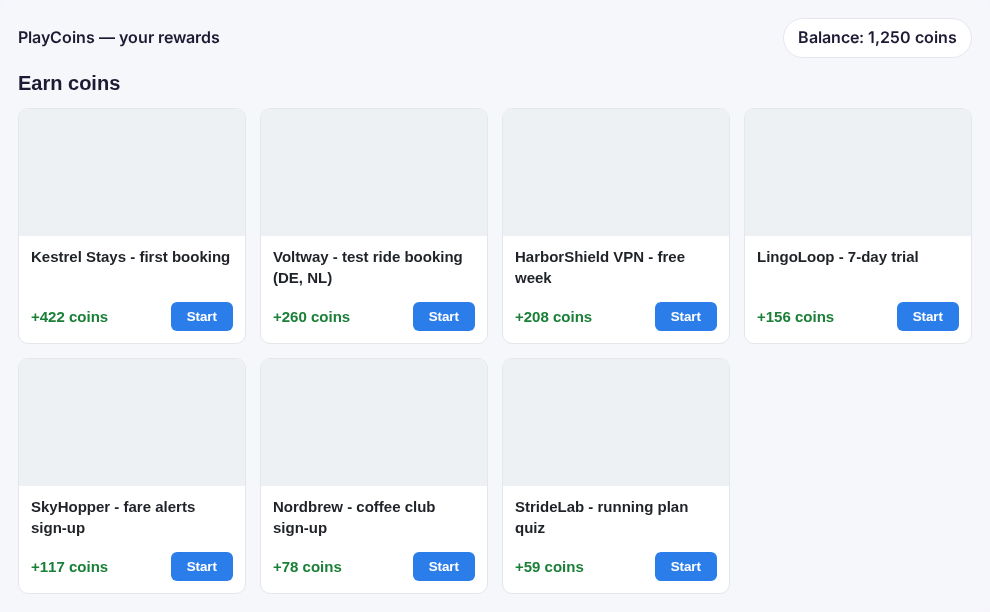
How the offerwall works
The offerwall is an offer zone shown on your page with one line of code. The wall loads the zone’s offers, leaves out the ones that do not convert in the visitor’s country, and sorts the rest by reward. You choose the rate: with 100 coins per 1 USD, an offer that pays you 2.60 shows as +260 coins.
- Offers come from your offer network or the offers you run yourself.
- A click on Start opens the offer in a new tab and carries your user’s id along.
- Country targeting is checked against the visitor’s location by the ad server, so nobody is shown an offer they cannot complete.
Rewards that cannot be faked
The wall itself grants nothing. The reward follows the real conversion, server to server: the advertiser reports the conversion, the ad server matches it to the click and your user, and your outbound postback calls your server with the user id, the payout and the offer. Your server then credits the balance. A visitor cannot claim a reward from the browser.
A postback URL can look like https://yoursite.com/credit?user={subid1}&amount={payout}&offer={offerid} — add a key of your own and check it on arrival.
Who uses an offerwall
- Games and apps that sell virtual currency: players earn it by completing offers instead of paying.
- Membership and content sites that unlock premium days or downloads.
- Reward and cashback communities where earning points is the product.
It sits next to your other formats: banners, native and video run through the same publisher ad server, and the wall reports into the same statistics.
Setting it up
- Create an offer zone with the offers you want on the wall.
- Copy the offerwall code from the zone’s code tab, fill in your logged-in user’s id, and if you pay in points, your rate and unit.
- Add an outbound postback to your server with
{subid1},{payout}and{offerid}.
The step-by-step guide is in the documentation: Offers and the offerwall.
More ad formats
The offerwall is one of many formats you can run from one platform. Browse them all on the ad formats page, or try each one on the live demo pages.