
Every ad network has its own content policy. A page one network accepts without a second look can get your account flagged at another. If you sell the same traffic to several networks, keeping each one away from pages it doesn't want is a daily, manual job, and one mistake can cost a demand partner you spent months winning. Referrer Stopwords automates it: each SmartZone gets a list of words, and a SmartZone simply does not serve when the page asking for an ad contains one of them.
The problem: one inventory, many policies
Publishers and traffic resellers usually work with several networks at once, often through SmartZones that let those networks compete for the same ad zone. The networks rarely agree on what they accept. One is fine with download or streaming sites, another refuses them; one takes gambling traffic, another bans it. Without a filter, every network in the rotation can receive every page.
How Referrer Stopwords work
- A visitor opens a page. The ad zone on that page asks for an ad, and the request carries the page's URL.
- The URL is checked. For each SmartZone that could serve, GoAdserver checks whether the URL contains any word on that SmartZone's stopword list.
- A match skips that SmartZone. The network behind it never sees the impression.
- Another source fills it. Another SmartZone in the same ad zone whose network accepts that traffic can take it, or, if none can, your own campaigns.
Matching rules
- Case-insensitive. "Casino", "casino" and "CASINO" are the same word.
- Substring match over the whole URL: domain, path, slug and query string. "torrent" also matches
/best-torrent-sites/and?q=torrent. - One list per SmartZone, so each network gets its own rules. Set it under Smart Zones → edit a zone → General → Referrer stopwords (see SmartZones in the documentation).
- An empty list filters nothing, so existing SmartZones keep working exactly as before.
Example list for a network that refuses gambling and file-sharing pages: casino, poker, bet, torrent, download. Short words match more than you might expect ("bet" also matches "better"), so check the effect in your SmartZone statistics after adding one.
Who it is for
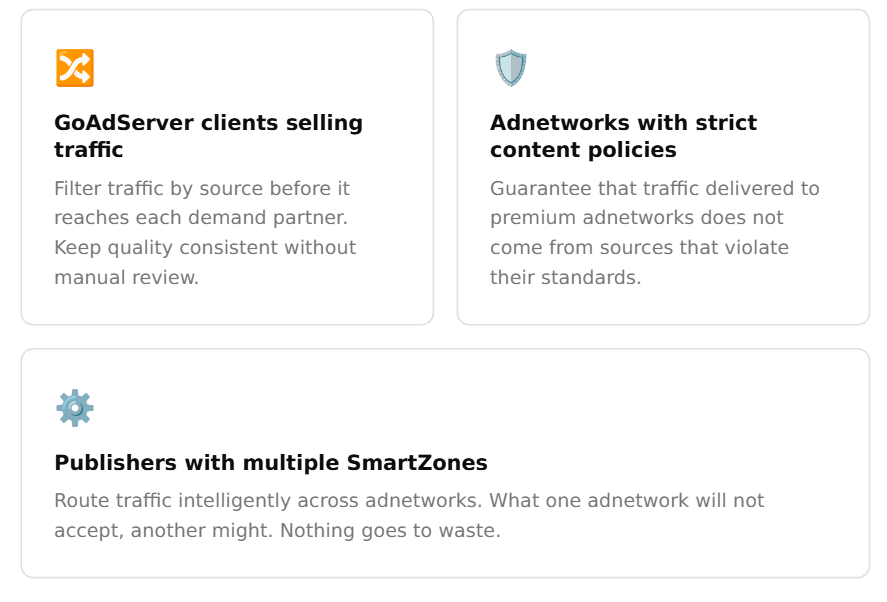
- Traffic sellers who resell to several networks and need each to receive only the traffic its policy allows.
- Publishers with SmartZones from several networks on the same placements, who want strict networks kept off sensitive sections.
- Ad networks buying traffic for partners with strict policies, who need to show that the traffic they deliver complies.
Where it fits
Referrer Stopwords sit next to the other SmartZone serving controls: bot filtering, capping, daily caps, country and device targeting, and keyword include/exclude lists. Together they decide which network may serve which request, before anything is shown. Pair them with SmartZones' eCPM ranking and each request goes to the best-paying network that accepts it. For the bigger picture of how an ad server decides what to show, read What is an ad server?, and see how SmartZones raise publisher earnings.
Frequently asked questions
Does a stopword block the whole ad zone?
No. It only skips the SmartZone that has the word on its list. Other SmartZones and your own campaigns in the same ad zone can still serve that request.
Does it check only the domain?
No, the whole URL of the page: domain, path and query string. A word in an article slug or a search parameter matches too.
What happens when the URL is unknown?
If the request doesn't tell the ad server which page it came from, there is nothing to match, so stopwords don't filter it.
Can I use stopwords for my own campaigns?
Referrer Stopwords belong to SmartZones. For your own campaigns use targeting, categories and the keyword include/exclude lists.