
Most visitors read a page or two and leave, and the only way to bring them back is to pay for the traffic again. Push Collector lets publishers ask visitors for permission to send browser notifications. Everyone who accepts becomes a subscriber in your own GoAdserver account, and you can reach them again with your own messages or monetise them through the ad auction, without buying that visit twice.
Why an owned push audience matters
Email lists need double opt-in and fight spam filters. Social reach depends on someone else's algorithm. Paid traffic costs money every time. A push subscriber you collected yourself is different: the subscription lives in the visitor's browser, the list lives in your account, and sending to it costs nothing extra. A visit you monetised once with display or pop ads can now earn again and again.
How Push Collector works
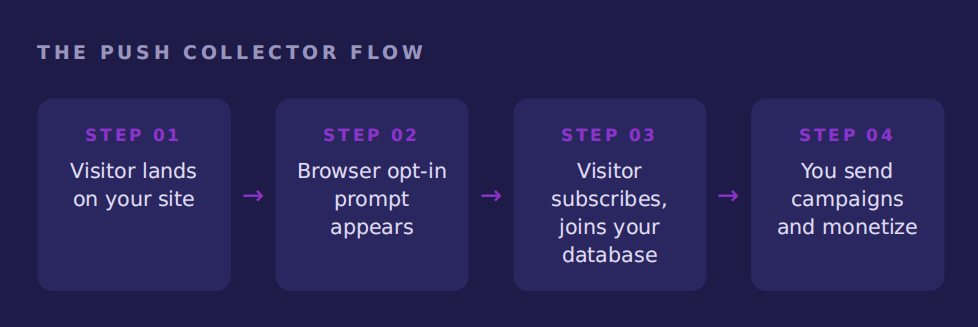
- Install the collector. Two small files: a service worker at your site's root and a collector script on your pages. Load the script from the ad server, or host it yourself so it keeps working when visitors use an ad blocker.
- Visitors see the browser's permission prompt. Everyone who allows notifications becomes a subscriber, tagged with the traffic source they came from.
- Your subscriber base grows in the panel. Push subscribers shows every subscriber with when they opted in and were last active; you can export the list or activate, deactivate and delete in bulk.
Three ways to use your subscribers
Your own campaigns
Write a notification (title, body, icon, image and click URL) and send it to all active subscribers. Use it for new content, offers or time-sensitive announcements. Drafts are never delivered until you press send, and the list shows sent and failed counts.
Monetisation through the ad auction
Delivery rules send auctioned pushes on a schedule: pick an audience segment, how often the rule runs, a frequency cap per subscriber and a maximum number of subscribers per run. Each push goes through the same auction as your other ad zones, so your own advertisers and connected RTB push buyers compete for it, and the best bid wins.
Segments
Group subscribers by traffic source, keep only active subscribers, or only those you can attribute to a tracked click. A segment shows a live count of how many subscribers match, so you know the reach before you send.
Reporting
Push stats shows impressions, clicks, CTR and revenue from auctioned pushes, next to subscriber growth. To show results to a buyer or partner, send them a shared report.
Available on ad manager and ad network setups
Push Collector works whether you run GoAdserver as an ad manager for your own sites or as a white-label ad network. You build the audience on the publisher side and sell it on the advertiser side, in the same account and the same reports. It doesn't replace your other formats: it adds an audience you own on top of the traffic you already have. The push ad server page shows the whole push setup, and the Push ads article in the documentation covers installing the collector step by step.
Frequently asked questions
Does Push Collector work with ad blockers?
Choose the self-hosted load method: the collector script is served from your own site, so it keeps working when visitors run an ad blocker.
Who owns the subscribers?
You do. They are stored in your account, you can export them as CSV, and you decide who receives what.
How often can I send?
You decide. Delivery rules have a cadence and a per-subscriber frequency cap, so subscribers aren't overloaded and stay subscribed.
How do I earn from my subscribers?
Auctioned pushes from delivery rules go to the best bidder among your own advertisers and connected RTB push buyers, and the revenue appears in Push stats.