
One bad creative is enough to damage a publisher relationship: a banner that redirects to a scam, a landing page that asks for notification permission and then floods the user, or a script that fingerprints visitors. These ads often behave normally when you check them yourself and only misbehave for certain countries, devices or browsers. AdScanner is GoAdserver's built-in ad monitoring: it opens your ads and landing pages the way real visitors would, on a schedule, and reports what they actually do.
What AdScanner scans
- Your campaigns' ads: banners, native ads and their destination URLs.
- Video ads: VAST tags and the media and click-through URLs inside them.
- SmartZone networks: what the outside networks in your SmartZones actually serve on your placements.
- RTB landing pages: destinations captured from real-time bidding, so a buyer that turns malicious can be blocked from bidding.
- Any URL you want to check manually.
Scanning like a real visitor
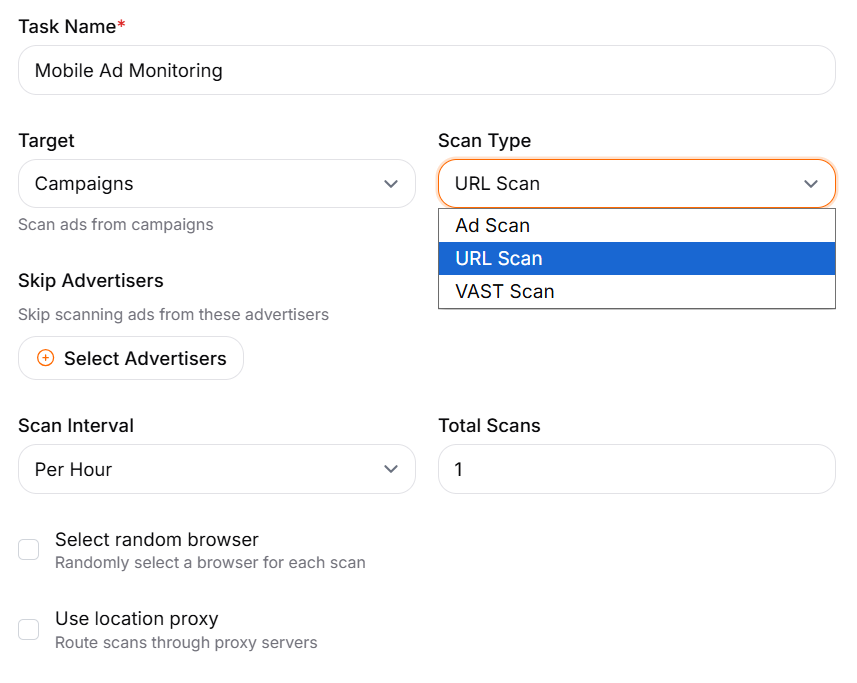
Malicious ads target. A redirect may only fire for mobile users in one country, or only in a certain browser. AdScanner opens each ad in a real headless browser and can:
- route the scan through a location proxy in the target country, so it sees what visitors there see;
- use a random browser and device profile on each scan instead of one fixed setup;
- repeat on a schedule: per hour, per day or another interval, a set number of times per run.
What it detects
- Redirects: the full chain from click to final page, including unexpected hops.
- Pop-ups and permission abuse: new windows, notification and other browser permission requests.
- Fingerprinting: scripts that probe the browser to identify visitors.
- Service workers registered by an ad or landing page.
- Obfuscated JavaScript and suspicious page elements.
- Known-bad domains: every domain in the chain is checked against Google Web Risk, VirusTotal and ReversingLabs.
From finding to action
Each scan produces a report with the redirect chain, the requests the page made and what was detected, so you can see exactly why an ad was flagged. Findings let you pause the campaign or block the domain. For RTB, the network can add the bid source behind a flagged landing page to a blocklist the ad servers check before they serve, so its bids are refused within minutes; nothing is blocked automatically. The scanner has its own site too: GoAdScanner. Scanning can also be switched per SmartZone, so you decide which outside networks are checked.
Who uses it
Ad networks use AdScanner to keep self-serve advertisers honest and protect their publishers. Media buyers and affiliates use it to check the offers and landers they promote. Publishers use it to see what outside networks really serve on their pages. It sits next to GoAdserver's bot and fraud filtering. Related: Referrer Stopwords keep each network on the pages it accepts.
Frequently asked questions
How often does AdScanner scan?
You set it per scan task: for example every hour or every day, with the number of scans per run.
Why scan through proxies?
Malicious ads often show a clean page to visitors outside their target country or device. Scanning from the target country, with a random browser profile, shows what real visitors there would see.
Can AdScanner check video ads?
Yes. VAST scans read the tag and check the media files and click-through URLs inside it.
Does scanning slow down ad serving?
No. Scans run separately from ad serving, on their own schedule.