
AMP and Web Story Ads
AMP pages and Web Stories cannot run a normal ad script, so many networks leave that traffic unsold. In GoAdserver every banner, native, reel and creator widget zone has an AMP code next to its normal one: AMP fetches the ad from your ad server and shows it with a small template. The same zone, the same campaigns, valid AMP. See the live demo.
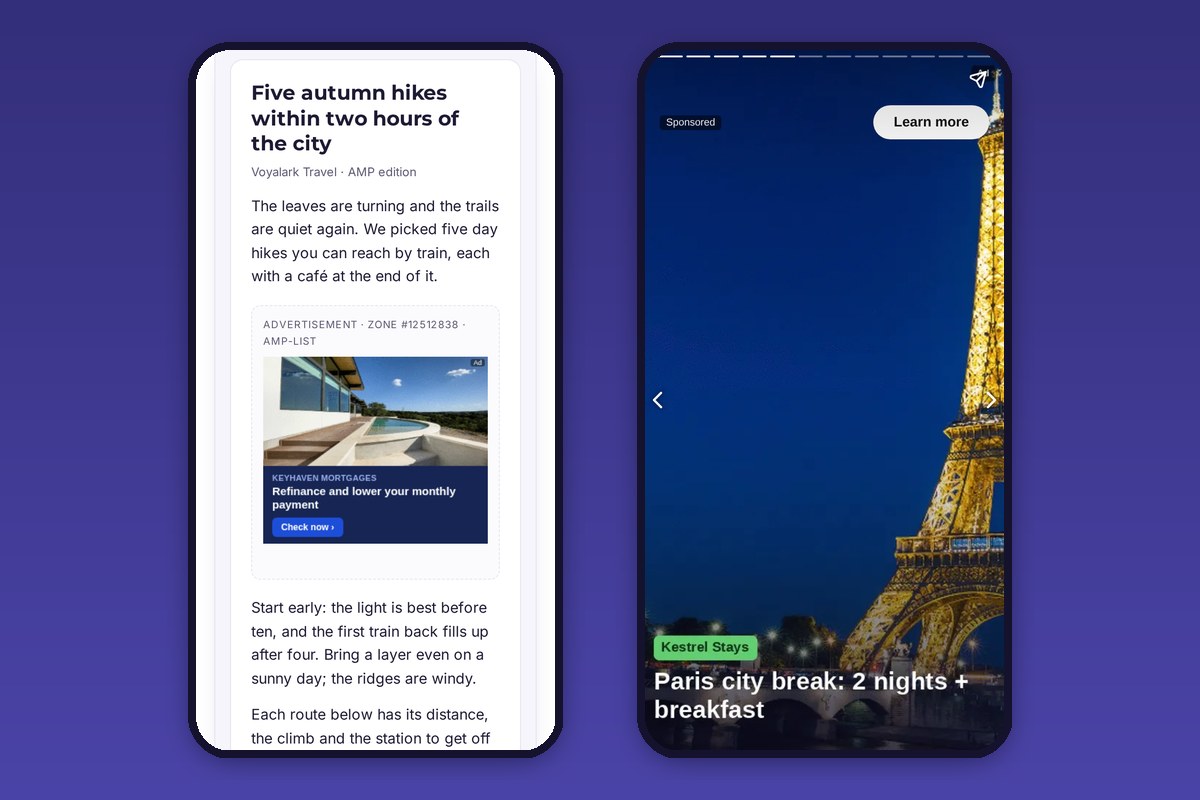
Ads on AMP articles
Publishers paste two script tags into the page head and one block where the ad goes. AMP loads the ad when the reader gets near it, with the reader’s cookies, so frequency capping, targeting and blocked advertisers work as on the normal site.
- Banner zones: the image at its size, scaled down on phones.
- Native zones: image, headline and the advertiser’s address, labelled as an ad.
- Reel and creator zones: a portrait clip that plays muted, or its image.
Impressions count when the ad renders; clicks go through the ad server like everywhere else.
Sponsored pages in Web Stories
In a Web Story the ad is a full-screen page of its own, labelled Sponsored, with a Learn more button. The publisher pastes it between the story’s pages, where it fits the story. Portrait creatives from creator campaigns fill the screen.
Valid AMP, no approval to wait for
The code uses AMP’s own components (amp-list and amp-mustache) and passes the AMP validator, so pages stay eligible for AMP caches. Nothing has to be registered with Google first: the zone’s AMP code works on the day you create the zone.
Image and video ads are shown. HTML ads cannot run inside AMP and are skipped, so the zone serves the next image or video ad instead.
Same code in the panel and the API
The AMP and Web Story code sits in each zone’s Code tab, and the API returns the same snippets, so a CMS plugin or an agent can place them automatically. See the documentation and the live demo, or look at all ad formats.